Pocket Sync for Mac: batch Gyroflow autosync for Resolve
A whole shoot. Synced in one click.
Your phone logged every move of the rig. Pocket Sync lines each take up with its log, and hands the lot to Resolve ready to stabilise.
How it works
Every shoot, already on the list.
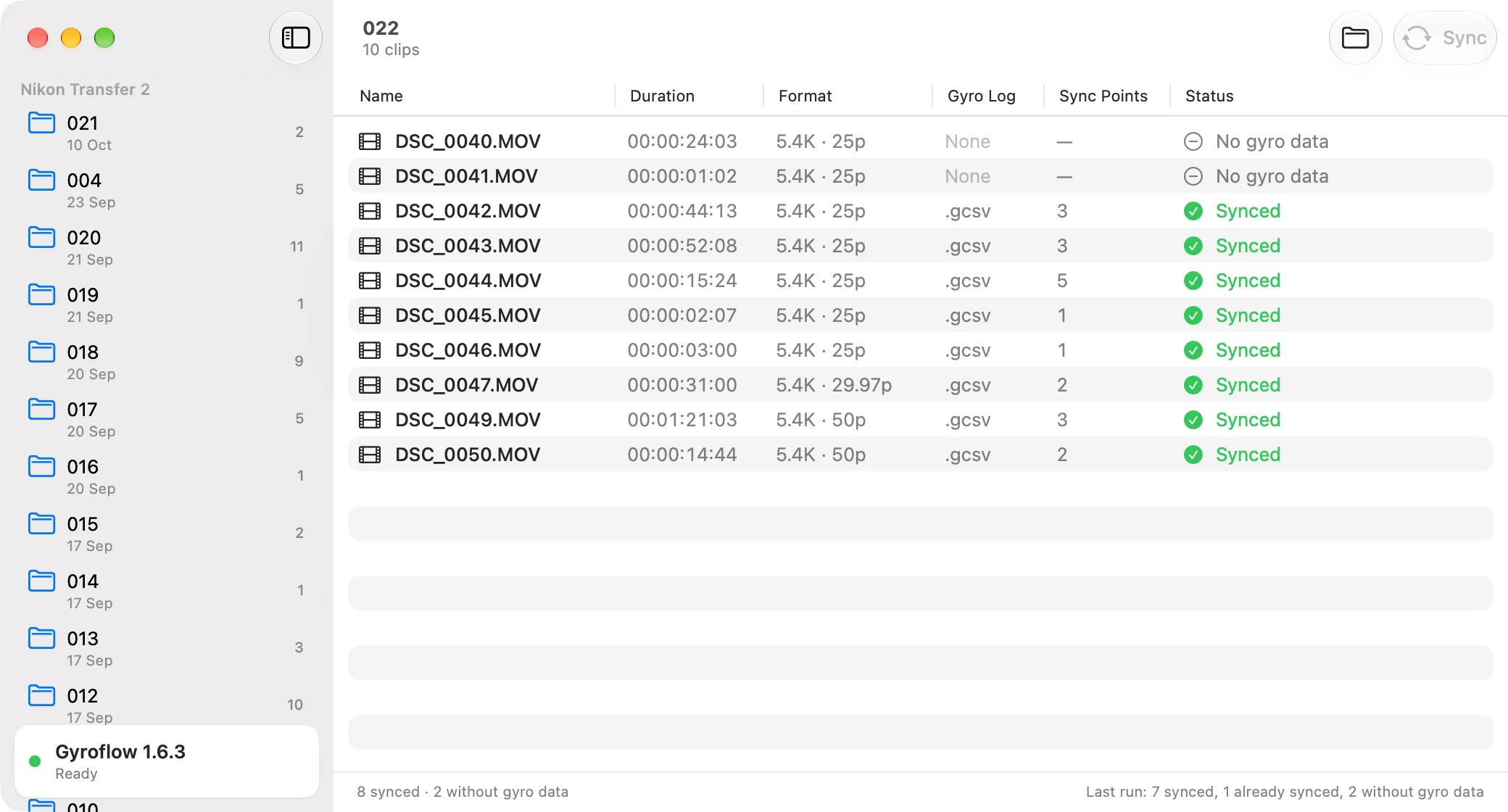
Open Pocket Sync and your last shoot is waiting. Every earlier one sits in the sidebar.
Pocket Sync reads the folders Nikon Transfer makes when the card comes off the camera, newest first, with a clip count on each. Pick one and every clip shows up with its length, its resolution and frame rate, whether the phone logged its motion, and how many points Gyroflow matched. Takes with no motion log are marked and left alone, so nothing gets synced by mistake.
Before you start
Two things. Then you're set.
Set these up once, and every sync after that is a single click.
Gyroflow installed
Pocket Sync uses Gyroflow's own engine rather than reinventing it, so Gyroflow needs to be on your Mac. The sidebar shows the version it found and a green light when it's ready.
The phone's files beside the clips
AirDrop the files from
Documents/Gyroflowon your iPhone into the shoot's folder. They hold the motion logs, lens profiles and projects Pocket Field Monitor wrote on the day.
Run it
Press Sync. Watch it go.
One button, one take at a time, every one of them done.
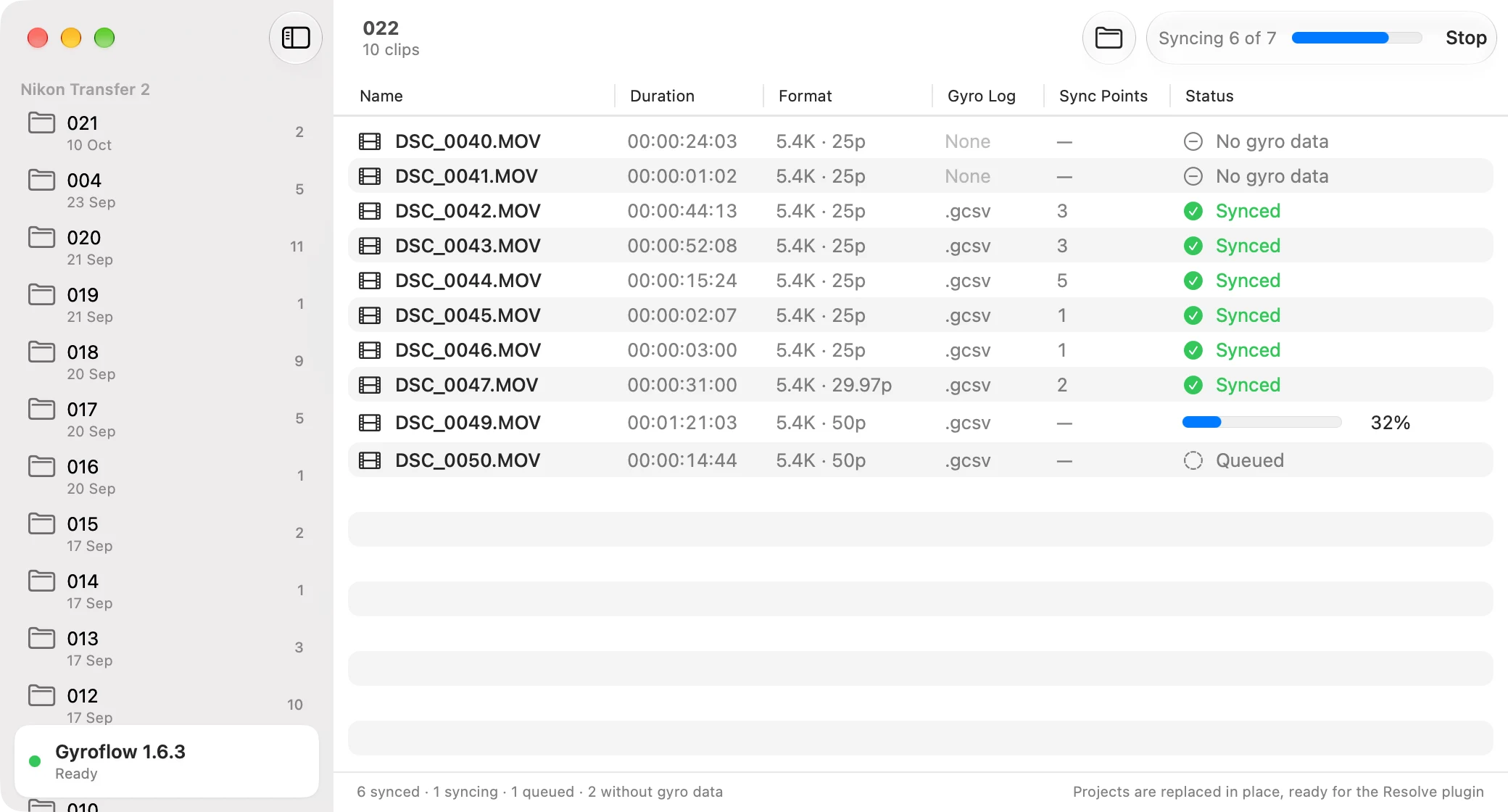
Click Sync, or press ⌘R. Each take runs through Gyroflow's autosync with its own progress bar, and its project is replaced in place, ready to use. Takes already synced are skipped, and ⌘. stops the run whenever you like. Drag any folder onto the window to open it.
Prefer the terminal? Launch it with -folder <path> -sync YES and it opens straight to that folder and starts syncing on its own. Pass them as named options, exactly as shown. A bare folder path gets opened as a file, and the window never appears.
DaVinci Resolve
Then watch the shake disappear.
Your synced projects are ready for the Gyroflow plugin you already use in Resolve.
Add the Gyroflow plugin to a clip on your timeline and it picks up the synced project, matching the motion to the proxy that's already there. Pocket Sync gets everything lined up. The smoothing itself happens inside Resolve.
Availability
Arriving with the iPhone app.
Pocket Sync launches as a signed Mac app, right alongside Pocket Field Monitor.
The download link lands right here.
Pocket Sync is built for the motion logs from Gyroflow logging on the iPhone. The app that records them is the one on your phone.