Gyroflow motion logs for the Nikon ZR
Every take, ready to glide.
The ZR doesn't record motion data. Your iPhone does. Pocket Field Monitor logs every move of the rig while you roll, then hands Gyroflow everything it needs.
Why your phone
The best stabiliser is already on your rig.
Gyroflow smooths footage using motion recorded during the shot. Without it, software can only guess what the camera did.
A separate logger means one more battery, one more mount and one more thing to forget. Your phone is already there, powered up and locked to the same cage as the camera, so it moves exactly as the camera moves.
Logging starts and stops with the recording itself. Roll from your phone or from the camera's own button: either way, the take is logged.
The files
Three small files. Zero sorting.
Every take gets its own set, in Gyroflow's format, named to match the clip so they pair up on their own.
A motion log sampled 100 times a second, with three seconds of pre-roll and one of post-roll so syncing has room to work. A lens profile built from the focal length the camera reports. And a Gyroflow project that ties the two together.
They land in Documents/Gyroflow in the Files app. AirDrop them, copy them over the cable or drop them in the cloud. Just text, never video: your footage stays on the camera's card.
- take.gcsv
- take.gyroflow
- lens_profiles/*.json
Live readout
Watch it work.
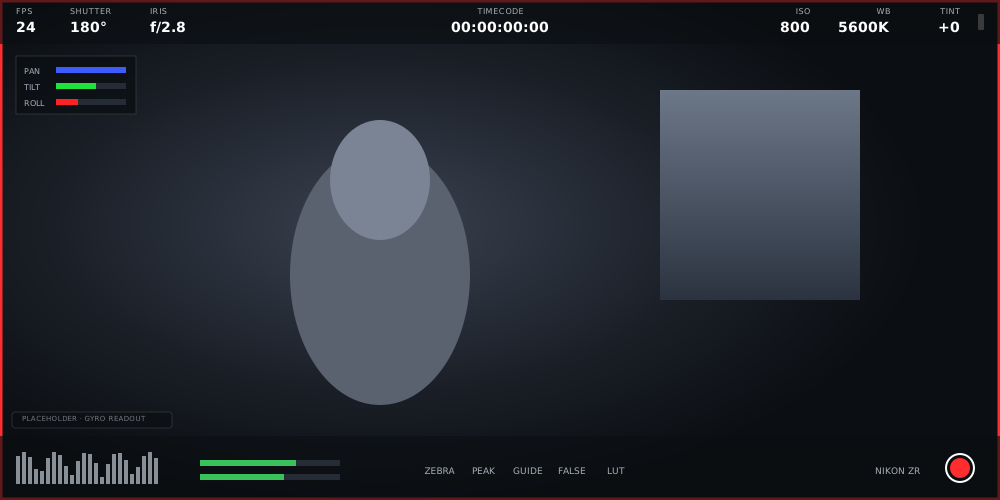
Live motion bars show the log happening, so a missed take never catches you out.
Pan, tilt and roll move as the rig moves while the ZR is rolling. Nudge it and watch: proof the phone is catching every move.
Like every overlay, it floats above the clean picture and never touches the recording.
Pocket Sync for Mac
One click. A whole day of takes.
Each project still needs syncing to its clip before Gyroflow can smooth it. Pocket Sync does the whole folder for you.
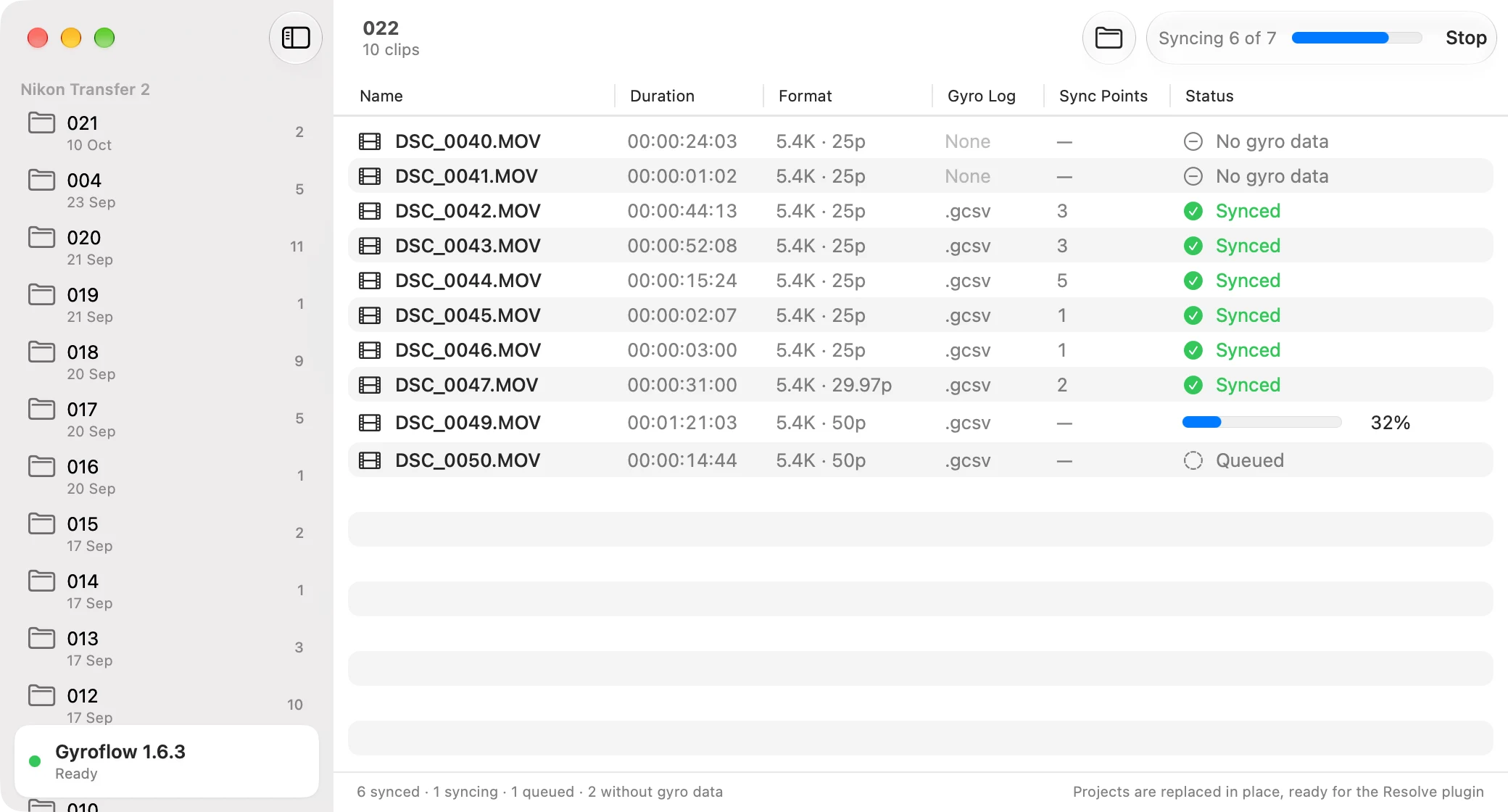
Open the Mac app on your shoot's folder and press Sync. It runs every project through Gyroflow's own autosync and hands each one back in place, ready to use.
Then open DaVinci Resolve, add the Gyroflow plugin to the clip on your timeline, and watch the shake melt away.
Make every take glide.
One-month free trial, then $49.99 a year for every feature.