Nikon ZR false colour, zebra, focus assist and scopes
See the shot. Before you shoot it.
False colour, zebra, focus assist and four scopes, live over your ZR's picture. The tools a DP trusts, simple enough to trust on day one.
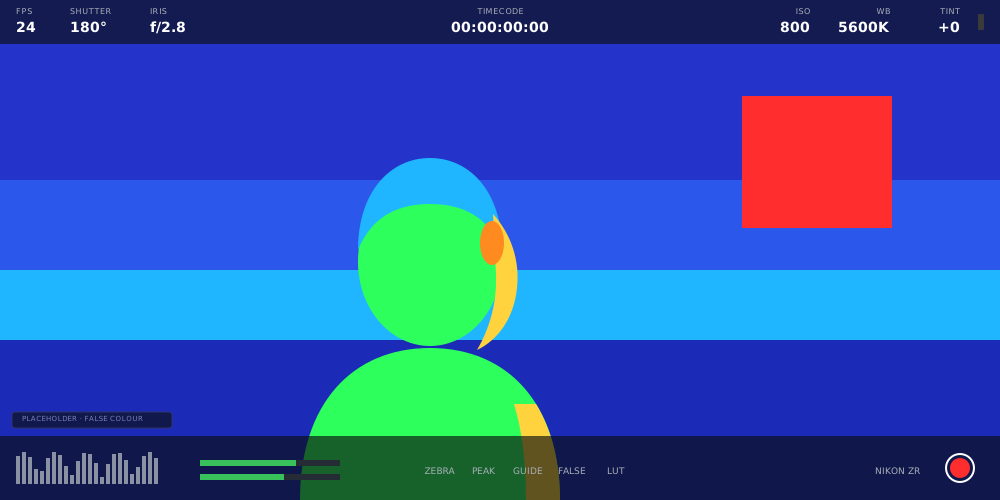
False colour and zebra
Exposure, figured out.
Six colours show exactly where the light lands. Switch the camera to log and they stay honest, automatically.
Most false colour is a fixed table of numbers, so it drifts the moment you change the look on the camera. Ours is anchored to real exposure: six landmarks measured in stops from an 18% grey card, and zebra set in stops below clip.
Move the ZR from Rec. 709 to N-Log and green stays on the grey card, right where it belongs. The IRE numbers in the legend follow along on their own. Feeding something unusual? Set the encoding by hand with INPUT.
False colour
Six colours that show exactly where the light lands, tuned to the picture on screen, Rec. 709 or N-Log.
Zebra
Stripes that warn you before highlights clip, set in stops so they mean the same thing in every look.
Traffic lights
Red, green and blue lights that flash on the instant any channel clips.
Focus assist
Sharp. Not just contrasty.
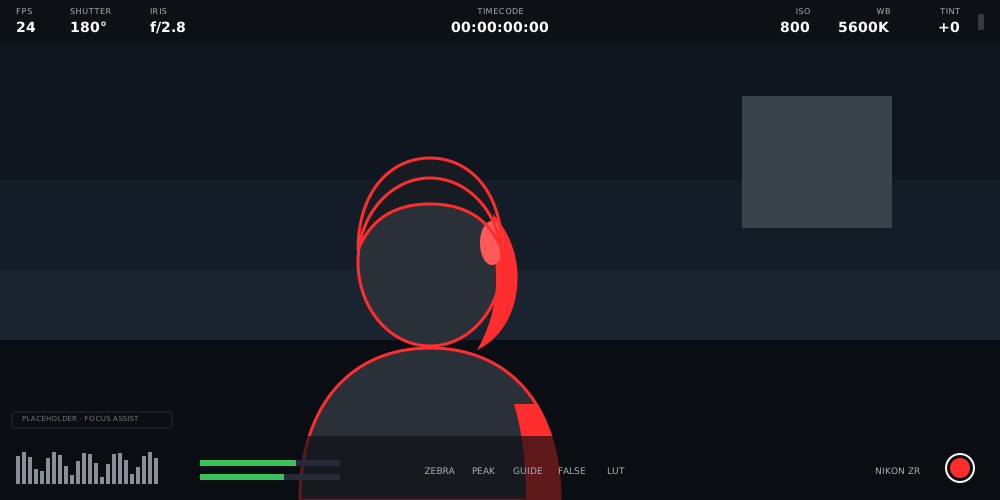
Ordinary peaking lights up every leaf and brick wall. Focus assist finds real edges, so only what's truly sharp glows.
Pull focus by eye, wide open, and see the exact moment you land it. A soft background stays clean, and the glow sits over your picture, never in it.
Five colours to choose from. Red pops on skin and foliage. Black holds its own against a bright sky.
- Red
- Green
- Blue
- White
- Black
Scopes
Read the picture like a colourist.
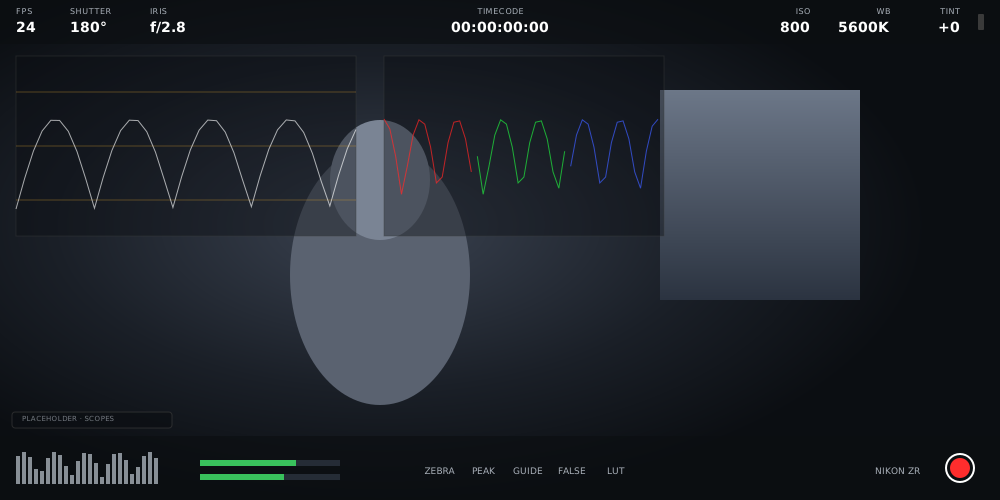
Waveform, vectorscope, RGB parade and histogram, live from every frame. Move them anywhere, clear of the shot.
Waveform
Brightness across the frame, live, with guide lines at the same landmarks as false colour.
Vectorscope
Colour at a glance, with a skin-tone line that makes white balance and tint easy.
RGB parade
Red, green and blue side by side, the way a colourist checks balance and clipping.
Histogram
Your whole exposure in one shape, right in the HUD and one tap from full size.
The waveform's guide lines sit at the same landmarks as false colour, so both tell the same story. The vectorscope's skin-tone line turns white balance into a glance. And the histogram lives in the HUD, one tap from full size.
Composition
Frame it like the final cut.
Cinema frame guides, grids, safe areas and a live horizon. Widescreen, square or vertical, see the finished frame now.
- 2.39
- 2.35
- 1.85
- 16:9
- 4:3
- 1:1
- 9:16
Frame guides
Cinema ratios with letterbox masks: 2.39, 2.35, 1.85, 16:9, 4:3, 1:1 and 9:16.
Grid and safe area
Thirds, crosshair and centre dot, plus action- and title-safe marks.
Horizon
A live level from the phone itself. Green means your rig is dead flat.
Desqueeze and flip
Anamorphic desqueeze and image flip for your view only. The recording is never touched.
Frame guides letterbox your shot, from a sweeping 2.39 to a 9:16 vertical, so what you frame is what you deliver. Thirds, crosshair, centre dot and safe-area marks sit underneath, and the horizon turns green the moment your rig is level. Shooting anamorphic? Desqueeze and flip change the view on your phone, never the file on the card.
Clean by design
Your take stays untouched.
Every overlay lives on your iPhone. The camera records the clean picture, every single time.
Everything on this page is drawn by the phone from the frame the camera already sent. Nothing goes back to the body, so no monitoring choice can ever change a take. Cover the screen in false colour or keep it clean: the clip on the card is identical.
One gesture clears every overlay and leaves the pure picture, tally border still on. Preview a LUT on the phone while the ZR records clean. Whether the look is baked in stays the camera's call.
LUT preview
See the look on your phone while the camera records clean. Baking it in stays the camera's call.
Clean feed
One gesture clears every overlay. Just the picture, tally border still on.
Audio meters
Camera audio levels with proper ballistics and peak hold, right in the bottom band.
See every shot like a pro.
One-month free trial, then $49.99 a year for every feature.